The highly anticipated release of two brand-new Xbox handhelds is almost over! From October 16th, you’ll be able to play the ROG Xbox Ally and ROG Xbox Ally X, the portable Xbox we’ve all been waiting for.
Xbox have teamed up with PC pros ASUS to create an experience they’re calling ‘something entirely new’. If you’re as intrigued (and excited!) as us, we’ve rounded up everything you need to know about both handheld consoles, from the specs to the games. So let’s dive in…

What is the ROG Xbox Ally and Ally X?
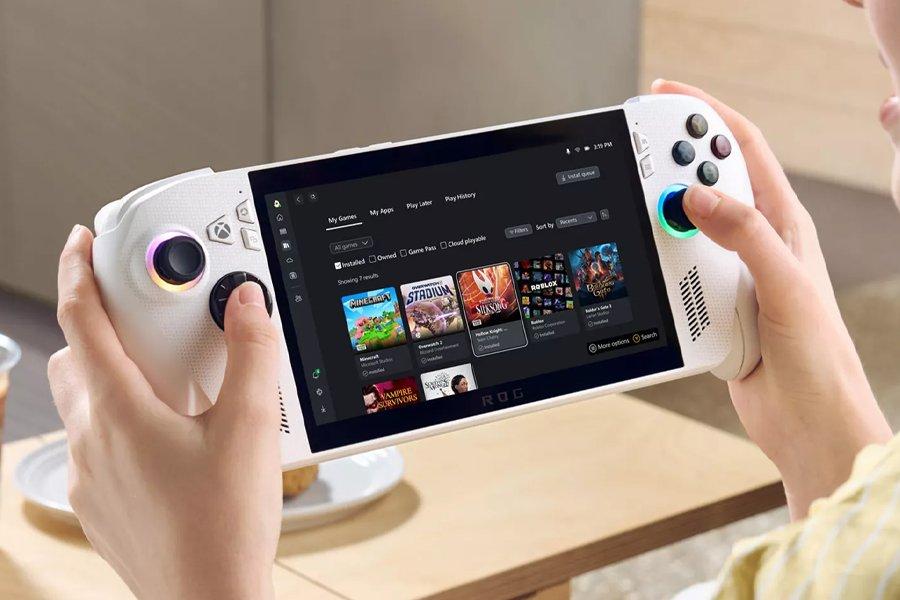
Thinking about getting your very first handheld? The ROG Xbox Ally is perfect for casual gamers, or those who want to dip their toe into the world of portable gaming without breaking the bank.
For seasoned gamers looking to invest in a high-performance handheld, The ROG Xbox Ally X is the one to check out.
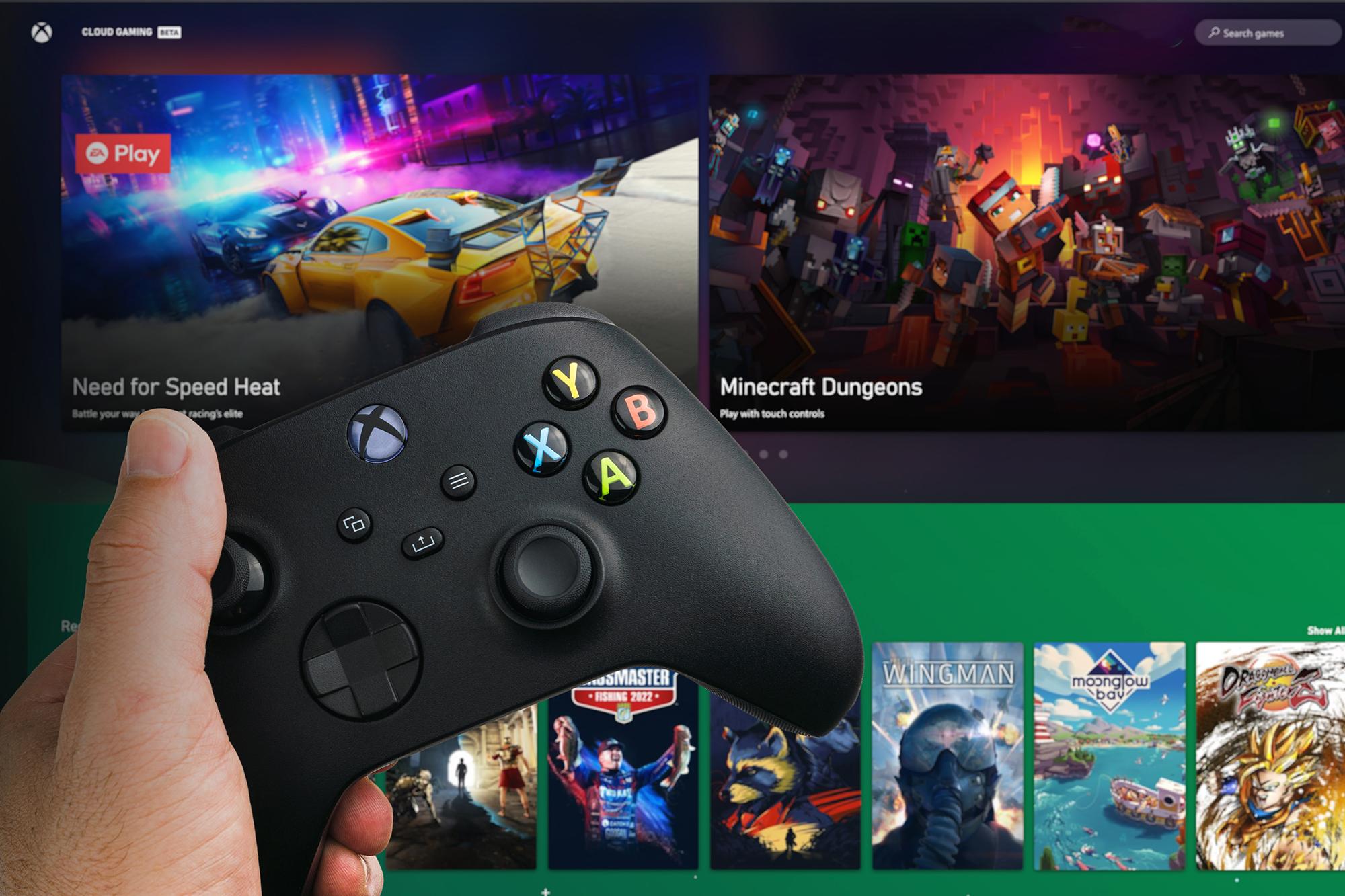
While the two handhelds have their differences, both let you play games natively, through the cloud, or remotely via your Xbox Series X or Xbox Series S.
ROG Xbox Ally v Ally X specs
Here’s a lowdown on the specs:
| Specifications | ROG Xbox Ally | ROG Xbox Ally X |
|---|---|---|
| Operating system | Windows 11 Home | Windows 11 Home |
| Processor | AMD Ryzen™ Z2 A processor | AMD Ryzen™ AI Z2 Extreme processor |
| Memory | 16GB LPDDR5X-6400 | 24GB LPDDR5X-8000 |
| Storage | 512GB M.2 2280 SSD for easier upgrade | 1TB M.2 2280 SSD for easier upgrade |
| Display | 7" FHD (1080p) IPS, 500 nits, 16:9, 120Hz refresh rate, FreeSync Premium Corning Gorilla Glass Victus + DXC Anti-Reflection | 7" FHD (1080p) IPS, 500 nits, 16:9, 120Hz refresh rate, FreeSync Premium Corning Gorilla Glass Victus + DXC Anti-Reflection |
| I/O ports | 2x USB 3.2 Gen 2 Type-C with DisplayPort™ 1.4, Power Delivery 3.0, 1x UHS-II microSD card reader (supports SD, SDXC and SDHC), 1x 3.5mm combo audio jack | 1x USB4 Type-C with DisplayPort™ 2.1, Power Delivery 3.0, Thunderbolt™ 4 compatible, 1x USB 3.2 Gen 2 Type-C with DisplayPort™ 2.1, Power Delivery 3.0, 1x UHS-II microSD card reader (supports SD, SDXC and SDHC; UHS-I with DDR200 mode), 1x 3.5mm combo audio jack |
| Network & communication | Wi-Fi 6E (2x2) + Bluetooth 5.4 | Wi-Fi 6E (2x2) + Bluetooth 5.4 |
| Dimensions | 290.8 x 121.5 x 50.7mm | 290.8 x 121.5 x 50.7mm |
| Battery | 60Wh | 80Wh |
| Comfort & input | ABXY buttons, D-pad, L & R Hall Effect analog triggers, L & R bumpers, Xbox button, View button, Menu button, Command Center button, Library button, 2x assignable back buttons, 2x full-size analog sticks, HD haptics, 6-Axis IMU, Contoured grips | ABXY buttons, D-pad, L & R impulse triggers, L & R bumpers, Xbox button, View button, Menu button, Command Center button, Library button, 2x assignable back buttons, 2x full-size analog sticks, HD haptics, 6-Axis IMU, Contoured grips |
| Included | ROG Xbox Ally 65W charger stand | ROG Xbox Ally X 65W charger stand |
Processor & memory
The Ally and Ally X run on slightly different AMD processors. The Ally is powered by an AMD Ryzen™ Z2 A processor, meaning games will run really well and won’t do a number on your battery life.
The Ally X is powered up by an AMD Ryzen™ AI Z2 Extreme processor and packed with epic AI features as and when they’re released. Throw in its 24GB of high-speed RAM and this handheld can easily handle the most demanding games.
Storage
As we know, modern games take up a lot of space nowadays. Those cinemalike graphics and sprawling open worlds need plenty of room to run properly! Xbox have fitted 512GB (Ally) and 1TB (Ally X) of storage to the consoles. So no more deleting games to free up space for a new one!
Display
Both handhelds are built around a 7” Full HD (1080p) display. That’s big enough to see all the action, without feeling too bulky. We’re thrilled to see each Ally has a 120Hz refresh, as the higher the number, the smoother and more responsive your gameplay is – which is crucial in fast-paced games. Oh, and the screen is anti-reflective too!
Battery
Depending on the model you go for, there is a 60Wh and an 80Wh battery.
ROG Xbox Ally and Ally X design and build

Contoured grips
Xbox’s designers have taken a similar contoured grip design from their regular Xbox controllers. It’s been done to suit all kinds of hand sizes, letting you game for longer without getting uncomfortable.
Triggers & buttons
Also inspired by classic Xbox controllers, impulse triggers add a whole other level to your gameplay on the Ally X. Both consoles have HD haptics built right in, so you’ll literally feel the rumbles, explosions, or ground shakes in a game!
The iconic ABXY buttons look and feel instantly familiar, so you’ll be right at home when you fire up your favourite games.
Game Bar
Over on the left, you’ve got your dedicated Xbox button. Hit it, and you’ll be able to access apps, game chat and settings via the Game Bar overlay. Should be super handy for quickly swapping between the games and programs you’re running.
Colours
For now, it looks like the ROG Xbox Ally X comes just in black and the regular Ally in white.
ROG Xbox Ally and Ally X price
The ASUS ROG Ally is going for €599.00.
The ASUS ROG Ally X is going for €899.00.

What games can you play on the ROG Xbox Ally and Ally X?
Xbox said you’ll have access to over 1000 different games and with their Xbox Play Anywhere function, you can do exactly that. Pay once for a game and you can access it across your PC, Xbox console and Xbox Ally. All your progress, achievements and game saves will get synced too, so you can kick off your quest on one system and pick it back up later on another!
If you buy either Ally and you’re a Game Pass newbie, you can get started with the service at no extra cost. The Game Pass library is stuffed full of gems and classics. Plus, lots of the latest titles get added there on day one.
A new Xbox app built for handheld gaming
It’s not just the hardware that’s new, special software has been made especially for the Xbox Ally and Ally X. Fire up either Ally and you’ll load into the Xbox Full Screen Experience. This display puts all your games front and centre, in one place. Less flipping between menus, more gaming!
Xbox’s engineers have also managed to reduce any background activity that you’d usually see on handhelds, which can be a drain on performance, so you should notice higher framerates and more memory while you play.
What’s Gaming Copilot and how does it help?
By now, you’ve probably already heard about the cutting-edge Ai assistant, Microsoft Copilot. With every big brand pumping time and money into their own range of AI laptops and phones, it makes complete sense that Xbox want to get in on the Ai action too.
Copilot for Gaming looks like it’ll be built straight into the new handhelds. Think of it as your very own sidekick, and if you’ve played through your backlog, it can give custom recommendations for games you might have missed.
Can you play Steam, Epic Games and other PC titles?
Yes! Because each Ally runs on Windows 11, you’re not locked into just the Xbox ecosystem. Both consoles let you play your entire games collection, and it doesn’t matter where you bought them from. The handhelds are set to support titles from Xbox, Game Pass, Steam, GOG, Battle.net and Ubisoft, with more to be revealed later.
Xbox Handheld Compatibility Program explained
Xbox are working with their partner studios to make sure their games play great on handhelds. Through rigorous testing and optimisation, the ‘Xbox Handheld Compatibility program’ aims to make thousands of titles work smoothly on the Ally and Ally X. So, in theory, you can jump straight into your next adventure and won’t have to waste time in your settings to get a game to run right.
To make things even easier for gamers, you’ll be able to see the level of handheld compatibility in your game library. There’ll be two badges that’ll tell you what kind of support each title comes with:
Mostly compatible: You might need to do some in-game tinkering in the settings menu for the best experience, but you shouldn’t have to mess with too many sliders.
Handheld optimised: These titles have the Microsoft seal of approval and are good to go from the off. Text is clear, icons are accurate, and you’ll get the right resolution in full-screen mode.
Speaking of running well, there’ll also be something called the ‘Windows Performance Fit’ indicator. This tool will show you how a particular game is likely to perform on your device. There will be another set of badges: ‘Should play great’ and ‘Should play well’, to let you know if it’s going to chug or load lightning quick. Microsoft have said they’ll regularly be submitting new and current games for optimisation, making your handheld library even bigger further down the road.