
CURRYS' Cloud Backup - 4 TB, 1 year
CURRYS' Cloud Backup - 4 TB, 1 year
Item No.
10230536
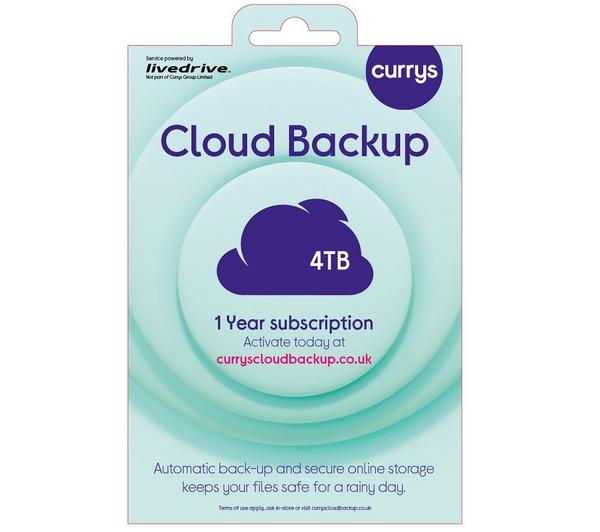


1 year / 4 TB storage
Backup up to 5 mobile/tablet & 5 computing devices
Access files via our free mobile and tablet app
Secure online backup & storage for your files
Cloud Backup €29.99 if you buy with a laptop, desktop, tablet or phone
€85.00
Saved items limit reached (20/20)
To save this item, try removing something else from your
Saved items.

1 year / 4 TB storage
Backup up to 5 mobile/tablet & 5 computing devices
Access files via our free mobile and tablet app
Secure online backup & storage for your files
Product information
Product code:
346474
Protect your precious photos, important files, favourite music and videos from theft, loss, accidental deletion and ransomware with Cloud Backup from Currys. You get 4 TB of secure online backup for up to 5 mobile and/or tablet devices and up to 5 computing devices. And to keep them safe, your files are backed up automatically1 online using bank level security in secure UK data centres. You can also view your files wherever you are, or share them with friends and family.
- Cloud Backup 4 TB automatically1 backs up your files for 1 year
- Backup for up to 5 mobile and/or tablet devices and up to 5 computing devices, for Windows, Mac, iOS, Android & Chromebook
- Choosing to auto-renew upon activation will mean you won't have to worry about losing your data.2
- Access, edit and share files from anywhere
- Your data is securely protected in UK data centres
- Free web and telephone support available
Access your files from wherever you are from any device – no worries if you've forgotten to take an important document with you on your travels or you want to show off your favourite photos or videos. See your files wherever you are, with apps for iOS, Android, Windows, Mac and Amazon Fire devices.
Free up space on your device – with a dedicated Online Drive, you can store files separately to your backups and free up space on your device. Your Online Drive is accessible from your computer and mobile devices. Simply drag and drop files to the drive to store them in the Cloud. You can then access and edit those files from another device at any point. Plus, you can edit your office documents with our built-in editor on the web portal, or share files with friends in a few clicks.
Find additional support and access our FAQs at:
https://www.currys.co.uk/services/repairs-maintenance/cloud-backup.html
Setting up Cloud Backup
Once you have purchased Cloud Backup from Currys, please follow these steps:
1. Simply go to curryscloudbackup.co.uk to activate your account
2. Follow the onscreen instructions
3. Download and install the software on your computer, phone, and/or tablet
4. Cloud Backup will start backing up your files automatically1
Upon activation, you will be given the option to provide billing details to enable your service to auto-renew at the end of this set period. Choosing to auto-renew will remove any risk of losing data stored in this service at the end of the set period of time. No payment will be taken at the point of activation.
Small print
For full terms & conditions, please ask a colleague in-store or visit www.currys.co.uk/cloudbackup. The service sold by Currys is paid for upfront and continues for a set period of time (1 year).
1. Device must be backed up regularly to restore files. For automatic device backup on mobiles and tablets you must select option after installation.
2. Upon activation, you will be given the option to provide billing details to enable your service to auto-renew at the end of this set period. Choosing to auto-renew will remove any risk of losing data stored in this service at the end of the set period of time. No payment will be taken at the point of activation.
Please see www.currys.co.uk/cloudbackup for our complaints handling policy in relation to cloud services. See our support site at www.currys.co.uk/cloudbackup for detailed minimum requirements. Internet connection required to back up and access files on a computer, smartphone, or tablet. Data charges may apply. Streaming of DRM-protected media (i.e. iTunes video etc.) is not supported.
This service is provided on behalf of Currys Group Limited by Livedrive Internet Limited, 3rd Floor, 18 Mansell Street, London, E1 8AA, who is a third-party service provider. Livedrive's terms of use apply. For more details, including how to cancel, please ask in-store or visit www.currys.co.uk/cloudbackup
Saved items limit reached (20/20)
To save this item, try removing something else from your
Saved items.